
Where to view my order status
Once you have placed your order, you can view your order statusby following the step below:
- Sign in to your account by selecting Sign In on the upper right part of the screen.

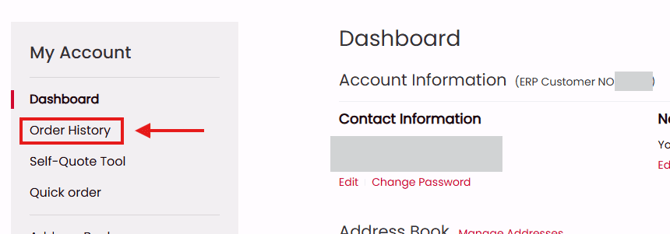
- From your account dashboard, select Order History
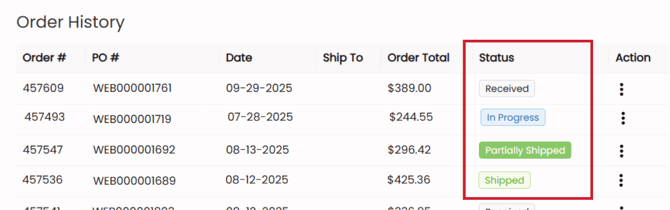
- You order status can be found of the Order History table
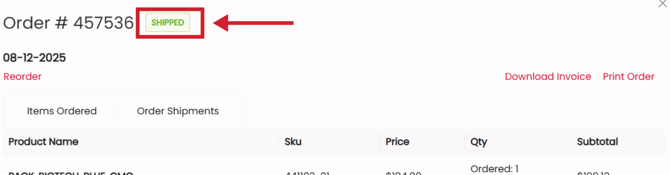
Or by selecting the Action icon and Order View.The order status is in the upper left next to the order number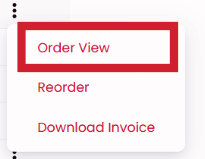
What does the order status mean?
Your order can have 4 different statuses:
- Received: your order has in our system and is pending review by a CMC Team Member.
- In Progress: your order is currently being processed, which may include awaiting stock availability, assembly, or preparation for shipment.
- Partially Shipped: at least one or more items have been shipped from our facility
- Shipped: your complete order has been shipped from our facility