
Individual vs. Company Accounts
Both account types are free and tailored to your individual needs.
- Individual Account: I want to purchase gear for myself or a friend. Create an individual account here: Individual Account Registration
- Company Account: I want to purchase gear on behalf of a company or organization and share the account with my team members, set permissions, use my tax-exempt status, or apply for net 30 terms. Create an individual account here: Company Account Registration
Below are the website features that are available for individual and company accounts.
| Individual Account | Company Account | |
| View/download invoices and order info | Yes | Yes |
| View payment and order status | Yes | Yes |
| Create Self-quotes | Yes | Yes |
| Use Quick Order Pad | Yes | Yes |
| Add company users and set permissions | No | Yes |
| View tax exemption status (if applicable) | No | Yes |
| View available credit (if applicable) | No | Yes |
Create an individual account
Individual accounts are for personal use and great if you want to purchase gear for yourself or a friend.
- Go to the account registration page: Individual Account Registration
- Fill in the required fields and set a password
- Your account is not created!
Create a company account
Company accounts are great if you want to purchase gear on behalf of a company or organization. This account allows you to add team members, set permissions, use tax exemption status, or apply for a payment terms account.
- Go to the account registration page: Company Account Registration
- Fill in the required fields
- You will receive an email notification to finish registration
- Click on a link in the email to set your account password
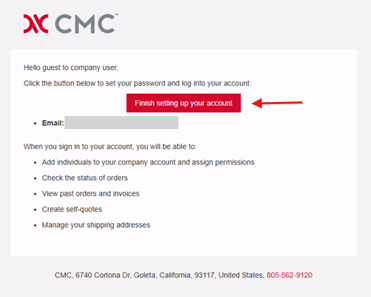
- Once you create a password, you will now have access to your account!