
This only applies to accounts that have payment terms. If you would like to establish payment terms, please see this article: Establishing a payment terms account.
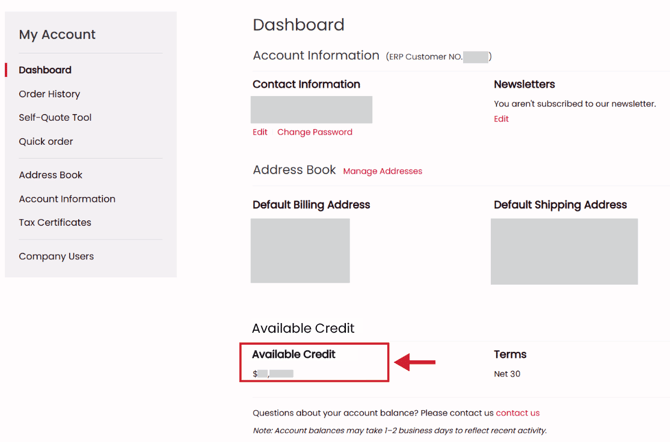
To view your available credit, follow these steps
- Sign in to your account by selecting Sign In on the upper right part of the screen.

- At the bottom of your account dashboard, you will see your Available Credit
Please note:
- Account balances may take 1–2 business days to reflect recent activity.
- Check out will be disabled if your cart exceeds your available credit.
- Credit card transactions will be disabled at checkout if you have a payment terms account.