
To manage Tax Exempt certification, you must have a company account and submit tax exemption certification forms. Learn more about our tax exemption process here: Tax Exemption Process
View certificate status
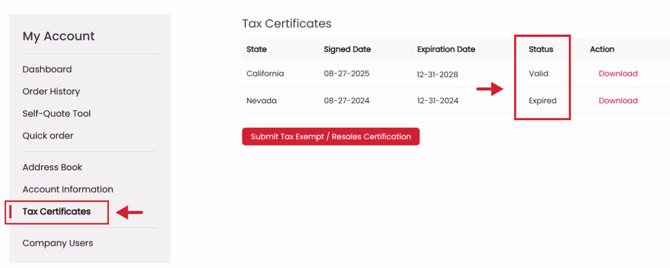
- Log in to and go to your account dashboard
- Select Tax Certificates to see the status and expiration dates of your documentation.
Email notifications
You will receive automatic email notifications that will notify your billing contact when a certification is close to expiring. The email will have a link to where you can upload new documentation.
Upload updated/new certificates
- Log in to and go to your account dashboard
- Select Tax Certificates
- You can submit updated or new documentation by selecting the Submit Tax Exempt / Resales Certification button.
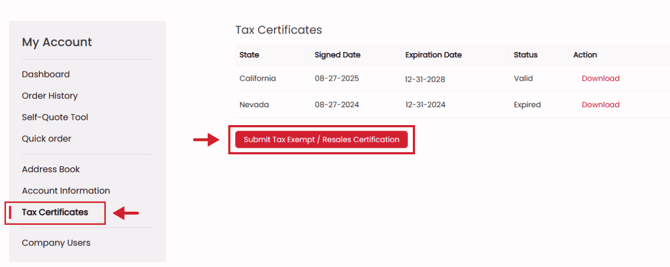
- This will bring you to Avalara CertExpress, where you can submit your certifications