
To use this feature, please sign in to your account. If you don’t have one yet, follow the steps here: How to Create an Account.
Where is the Quick Order pad?
- Sign in to your account by selecting Sign In on the upper right part of the screen.

- From your account dashboard, select Quick Order
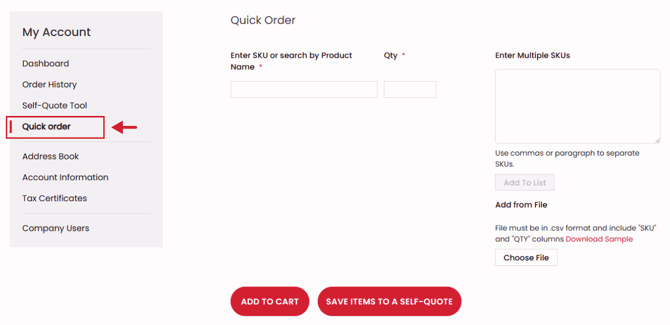
How to use the Quick Order Pad
Quickly add items to your cart or Self-Quote using 3 different methods
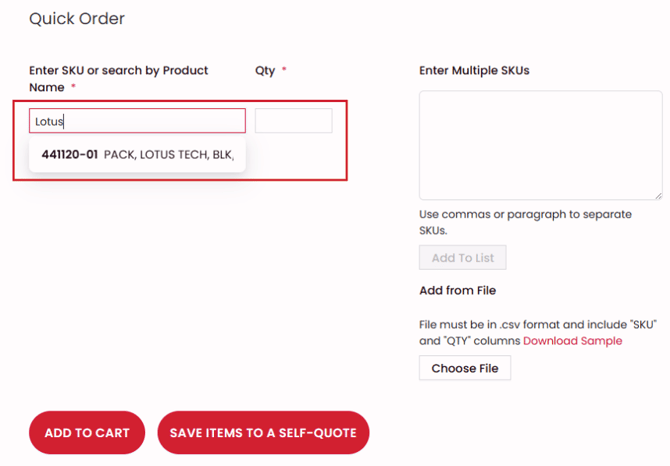
Quick gear look up
- Start typing in a product number or name and select your product
- Add quantities
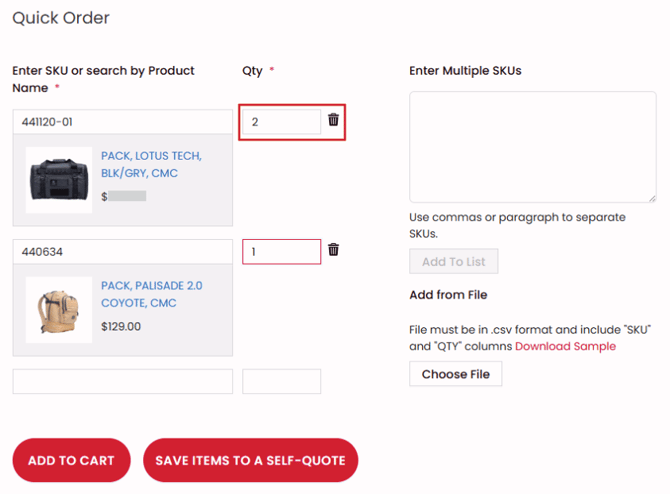
- Once you are finished, add your items to the cart or a Self-Quote
Enter muliple product numbers
Type in product SKUs and separate them by commas
Upload a CSV file of SKUs and quantities