
To use this feature, please sign in to your account. If you don’t have one yet, follow the steps here: How to Create an Account.
How to start a Self-Quote
You can start a Self-Quote from your account dashboard, a product page, or the cart.
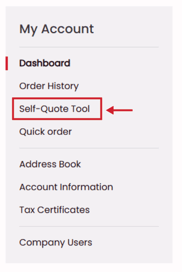
- From your Account Dashboard, select Self-Quote Tool
- Select the + Create New Self-Quote button and name your list
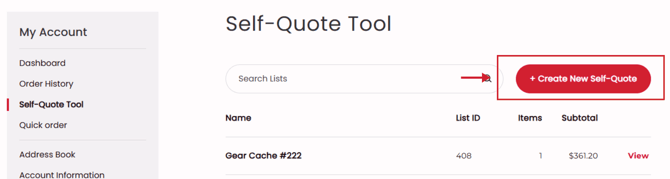
Note: You can create a new Self-Quote at any time when you add items to a quote, see the section below.
How to add items to a Self-Quote
You can add items to your self-quote from the product page, the cart, or quick order pad.
From the product page:
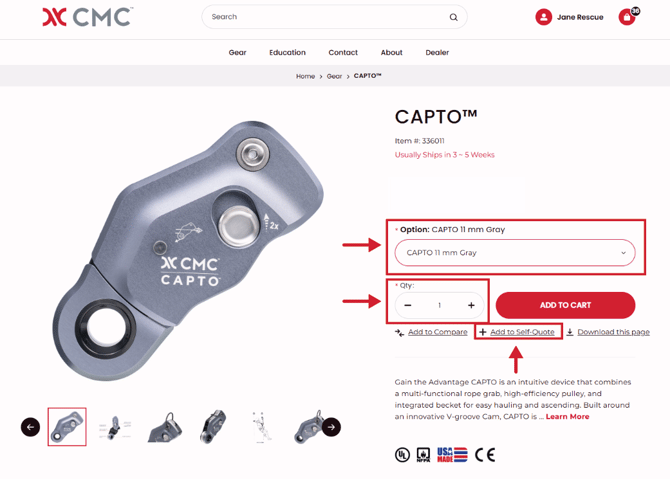
- Navigate to a product that you would like to add to your Self-Quote
- Select an option and quantity
- Select the + Add to Self-Quote button
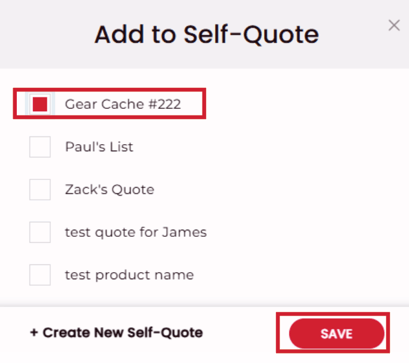
- Select the Self-Quote you would like to add this item to and save
Add multiple items from the cart:
- Add items to your cart and go to the cart page
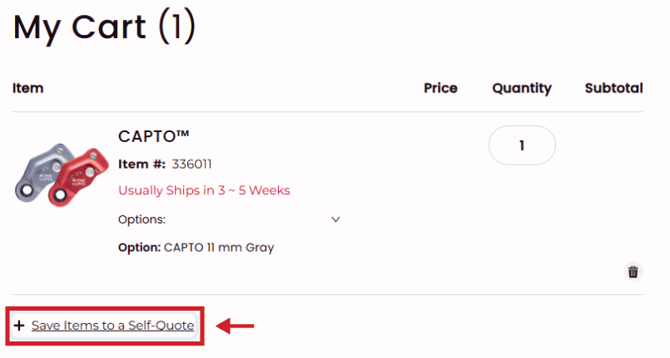
- Select the + Save Items to a Self-Quote
- Select the Self-Quote you'd like to add items to, and this will add all the items from your cart
Add multiple items from the quick order pad
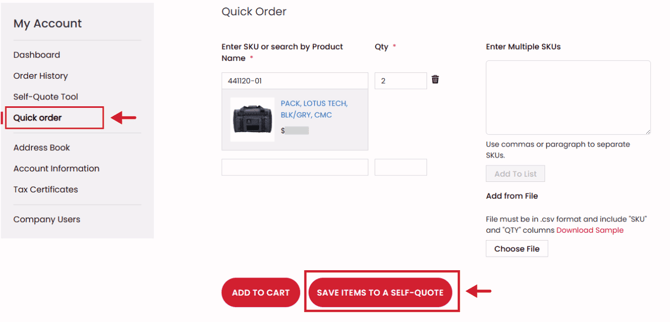
- From your Account Dashboard, go to Quick Order
- Add items to your Quick Order, and select Save Items to Self-Quote
How to add Shipping and Tax Estimates to your Self-Quote
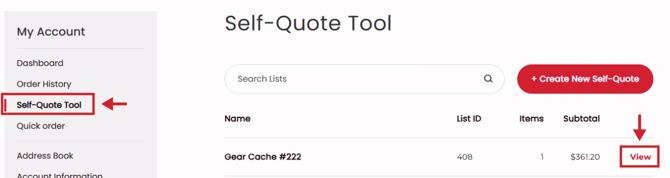
- Go to the Self-Quote Tool on your Account Dashboard and select a quote
- Select the Calculate Tax & Shipping Button
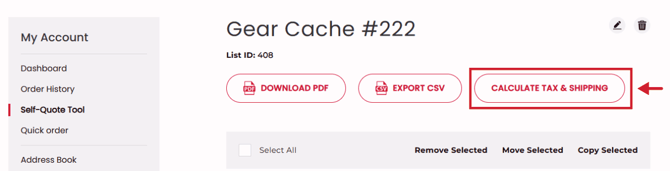
- Select a previously saved ship-to address or add a new address
Note: shipping and taxes are calculated based on the address you are shipping to - Shipping and Tax amounts will be added to your Self-Quote
How to export/download your Self-Quote
- From your Self-Quote, select the Download PDF or Export CSV
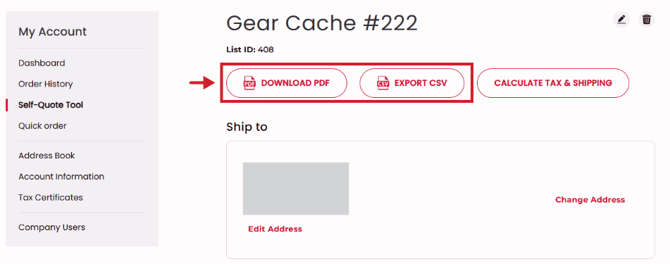
Note: To have shipping and tax amounts on your self-quote, you must select Calculate Tax & Shipping and select a ship-to address.
Note: This tool has replaced the formerly know Quick-Quote feature.